Enemies — meet the aliens
In Stage 5 you started shooting bullets. In Stage 6 you finally have something to shoot AT: five red aliens that fall from random spots above the screen.
🧠 Quick Recap (30 seconds)
Before we dive in — can you remember from Lesson 5 (Bullets)?
Q1. What's a list in Python?
One variable that holds many items in order. Like a shopping basket — you can add items, remove items, and loop through them. bullets = [] starts an empty one.
Q2. Why do we use bullets[:] when removing items in a loop?
It makes a quick copy to loop over so we can safely .remove() from the original list. Without the copy, Python gets confused mid-loop.
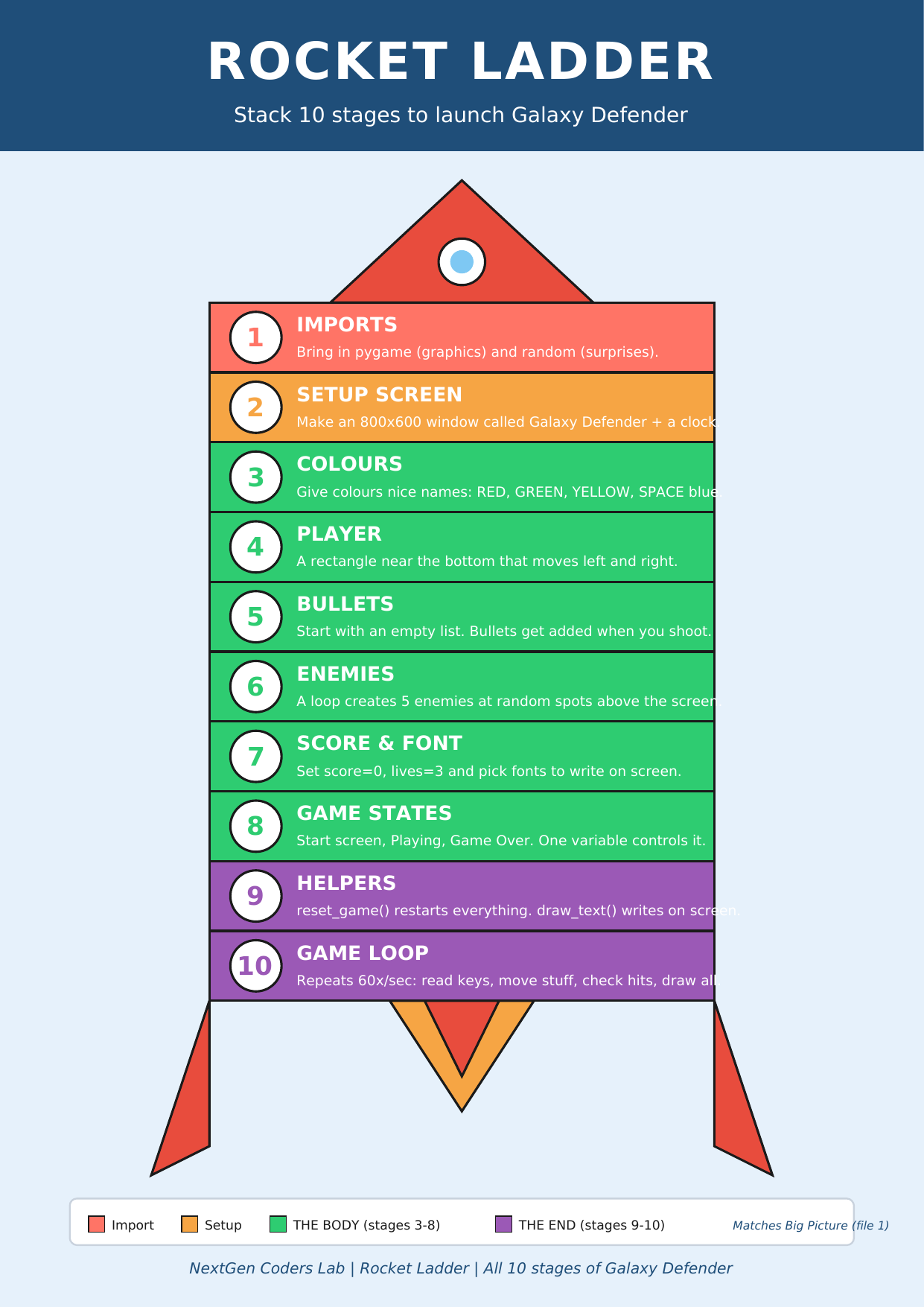
Where we are on the rocket
 ▶
◀
▶
◀
You're on Stage 6 of 10. The Body of the rocket is almost done!
One loop, five enemies
We could write five separate pygame.Rect(...)
lines, but that's boring — and it would be 100 lines if we ever wanted 100
aliens. Instead we use a for loop to build the
list once, and then change the number whenever we want more.
enemies = []
enemy_speed = 2

for i in range(5):                                # five times...
    e = pygame.Rect(random.randint(0, WIDTH - 50),     # random x across the top
                    random.randint(-300, 0),           # random y ABOVE the screen
                    50, 50)                            # 50×50 alien
    enemies.append(e)                             # add it to the list
🎲 random.randint(a, b) gives a random whole number
from a up to b. Negative
y values mean the enemy starts above the visible window — so they slide
down and look like they're coming from space.
Recycle, don't throw away
With bullets we removed them when they flew off the screen. With enemies we do something cleverer: when one reaches the bottom, we send it back to the top at a new random spot. The list always has exactly 5 enemies, but they keep coming forever — much smoother than spawning new objects every second.
for e in enemies:
    e.y += enemy_speed
    if e.y > HEIGHT:                          # reached the bottom?
        e.y = random.randint(-200, -50)        # send it back up
        e.x = random.randint(0, WIDTH - 50)    # at a new random x
💡 Think of it like a treadmill: the same five aliens loop forever. Recycling is one of the most-used tricks in game programming.
Sneak peek: bullets versus enemies
Now that we have bullets AND enemies on the screen, we can ask pygame the
most important question in any shooter: "did anything hit anything?"
Every Rect has a built-in helper called .colliderect()
that returns True if two rectangles overlap.
for b in bullets[:]:
    for e in enemies:
        if b.colliderect(e):       # did this bullet touch this enemy?
            bullets.remove(b)
            e.y = random.randint(-200, -50)   # recycle the alien
            e.x = random.randint(0, WIDTH - 50)
            score += 1
We'll formally add score in Lesson 7. For now,
just notice the pattern: for each bullet, check every enemy.
The code so far
# Stages 1–5 already in place...
import pygame
import random

pygame.init()
WIDTH, HEIGHT = 800, 600
screen = pygame.display.set_mode((WIDTH, HEIGHT))
pygame.display.set_caption("Galaxy Defender")
clock = pygame.time.Clock()

YELLOW = (255, 215, 0)
RED    = (255, 0, 0)
SPACE  = (0, 0, 50)

# 🚀 Cartoon ship (from Lesson 5)
def draw_ship(s, x, y):
    pygame.draw.polygon(s, (0, 230, 100),
        [(x+30,y),(x+60,y+40),(x+40,y+30),(x+20,y+30),(x,y+40)])
    pygame.draw.circle (s, (100, 200, 255), (x+30, y+18), 6)
    pygame.draw.polygon(s, (255, 100, 0), [(x+25,y+30),(x+35,y+30),(x+30,y+42)])

# ✨ Fiery laser (new this lesson!)
def draw_laser(s, b):
    pygame.draw.ellipse(s, (255, 100, 0), (b.x-3, b.y-5, b.width+6, b.height+10))  # glow
    pygame.draw.ellipse(s, (255, 220, 0), b)                                       # core

player = pygame.Rect(370, 520, 60, 40)
player_speed = 5

bullets = []
bullet_speed = 10

# Stage 6 — Enemies ✨
enemies = []
enemy_speed = 2
for i in range(5):
    e = pygame.Rect(random.randint(0, WIDTH - 50),
                    random.randint(-300, 0),
                    50, 50)
    enemies.append(e)

running = True
while running:
    for event in pygame.event.get():
        if event.type == pygame.QUIT:
            running = False
        if event.type == pygame.KEYDOWN and event.key == pygame.K_SPACE:
            bullets.append(pygame.Rect(player.x + 27, player.y, 6, 15))

    keys = pygame.key.get_pressed()
    if keys[pygame.K_LEFT]  and player.x > 0:
        player.x -= player_speed
    if keys[pygame.K_RIGHT] and player.x < WIDTH - 60:
        player.x += player_speed

    # move bullets
    for b in bullets[:]:
        b.y -= bullet_speed
        if b.y < 0:
            bullets.remove(b)

    # move + recycle enemies
    for e in enemies:
        e.y += enemy_speed
        if e.y > HEIGHT:
            e.y = random.randint(-200, -50)
            e.x = random.randint(0, WIDTH - 50)

    # collisions (sneak peek of Lesson 7)
    for b in bullets[:]:
        for e in enemies:
            if b.colliderect(e):
                if b in bullets:
                    bullets.remove(b)
                e.y = random.randint(-200, -50)
                e.x = random.randint(0, WIDTH - 50)

    screen.fill(SPACE)
    draw_ship(screen, player.x, player.y)     # 🚀 cartoon ship
    for b in bullets:
        draw_laser(screen, b)                  # ✨ fiery laser
    for e in enemies:
        pygame.draw.rect(screen, RED, e)       # plain red squares (we cartoon them in L7)
    pygame.display.flip()
    clock.tick(60)

pygame.quit()
Run it. Five red aliens drift down from random spots. Move LEFT/RIGHT, hit SPACE to shoot, and watch the aliens disappear and reappear at the top when you hit them. You just built the heart of a real shooter. 👾
🎮 Want to play with more code? Scroll down to the Lesson 6 Code Library (6 enemy games). Copy any program, paste it into the editor below, and press the green ▶ Run button.
Type the code into this in-browser editor and press Run
Type the code above into the editor, then click ▶ Run.
🏆 Mini-challenges
- More aliens: change
range(5)torange(15). - Faster aliens: change
enemy_speed = 2to8. - Tinier aliens: change the
50, 50at the end of the Rect to20, 20. (Don't forget to updateWIDTH - 50toWIDTH - 20.) - Make alien colour change every time it's hit. Hint: store a colour in a list parallel to
enemies, then pick a random one in the collision block.
Handouts for this lesson
Print these, keep them open in another tab, or download them to your computer.
📚 Lesson 6 Code Library — 6 brand-new pygame mini-games all about enemies, spawning, recycling, and collisions: One Falling Enemy, Recycle the Enemy, Five Enemies, Asteroid Field, Touch Detector, Mini Defender.
📄 Lesson 6 Code Library (6 enemy games) 🎨 Sprite Bonus (visual polish) 📄 Lesson 5 Code Library 📄 Lesson 4 Code Library 📄 Lesson 3 Code Library 📄 Lesson 2 Code Library 📄 Lesson 1 Code Library
🗺️ The big-picture handouts — keep these by your side for the whole course.
📄 Rocket Ladder 📄 Code Comic 📄 Pixel Cheat Sheet 📄 Code Recipe 🖼️ 6 Parts of a Turtle Program
🤖 Want to try your own idea? Ask an AI like Claude or ChatGPT something like "Write me a short pygame program where 10 aliens fall from the top of the screen", then paste the code into the Trinket above and click Run.