Imports — grab your toolbox
Every Python game starts by bringing in tools. Today we'll bring in pygame
(for graphics) and random (for surprises).
🧠 Quick Recap (30 seconds)
Before we dive in — can you remember from Lesson 0 (Big Picture)?
Q1. Every Python game is shaped like a rocket. What are the 4 big parts?
Import · Setup · Body · End. Every game ever made — yours included — fits this template.
Q2. How many stages will we build to make Galaxy Defender?
10 stages — just like the Rocket Ladder. Each stage adds one new idea on top of the last one.
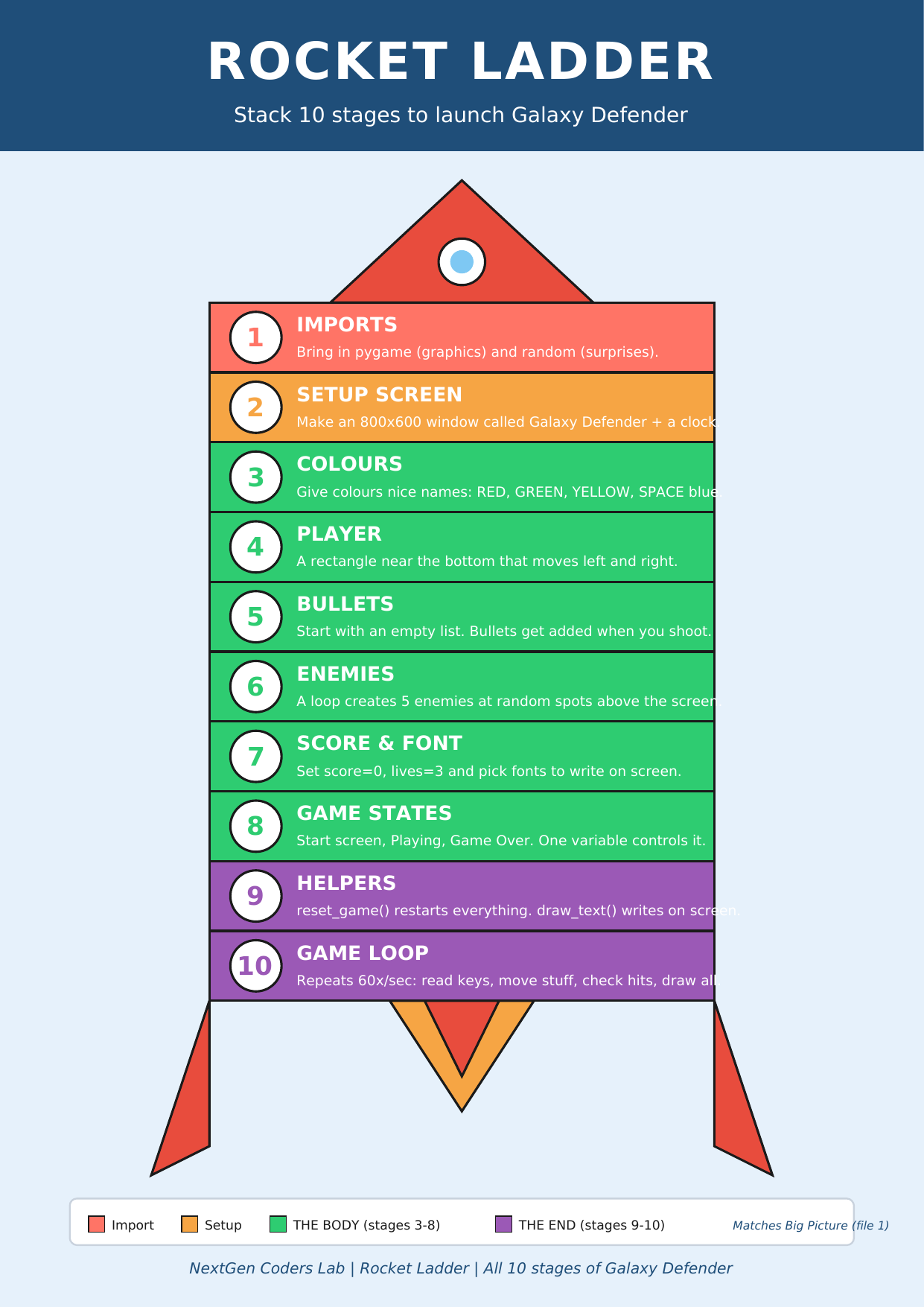
Where we are on the rocket
 ▶
◀
▶
◀
You're on Stage 1 of 10.
What is an "import"?
When you write import something, you're telling Python:
"Go grab that toolbox and bring it here so I can use it."
The "toolbox" is called a library.
So what's a library?
A library is simply a collection of pre-written code that someone else has already created to solve common problems. Instead of writing everything from scratch, you reuse those tools.
Think of Python itself as a basic toolbox — it knows how to add, print, compare, and loop. Libraries add extra toolboxes for specific jobs: one for graphics, one for sound, one for math, one for surprises.
🏠 Another way to picture it: imagine you're building a house. Without libraries, you'd
make every brick yourself. With libraries, someone has already baked the bricks — you just
stack them. That's why one line (import pygame) can give you
thousands of ready-made tools.
The three libraries we'll meet in this course
-
pygame — the games toolbox. It can draw pictures, play music,
detect the keyboard and mouse, handle collisions, display the score, and run game loops.
This is what powers Galaxy Defender.
import pygame -
turtle — the drawing toolbox. It moves a little "pen" around
the screen so you can draw lines, shapes, spirals, even a tiny house. Great for getting
comfortable with Python before jumping into pygame.
import turtle -
random — the surprises toolbox. It picks random numbers,
colours, or items from a list. We use it to make enemies appear in random places so the
game feels different every time you play.
import random
The big idea: one line of import unlocks an
entire toolbox of pre-written code. You write a small amount of code, and the library does
the heavy lifting behind the scenes.
The recipe
Same idea as a baking recipe — short, ordered steps.
- Open your code editor below.
- Type
import pygameon the first line. - Type
import randomon the second line. - Click Run. If nothing crashes, your boxes are open and ready. 🎉
Look at the Code Recipe handout — every lesson follows this same pattern.
The code so far
# Stage 1 — Imports
import pygame
import random

print("Toolbox loaded! Ready for Stage 2.")Type the code into this in-browser editor and press Run
Type the code above into the editor, then click ▶ Run.
🏆 Mini-challenge
Can you guess what would happen if you forgot to import random?
Try deleting that line, then try to use random.randint(1, 10).
Python will give you an error. Read it carefully — errors are clues, not scary!
Handouts for this lesson
Print these, keep them open in another tab, or download them to your computer.
📚 Code Library — ten tiny example programs you can copy straight into the Trinket editor above. Each one shows what a library can do.
📄 Code Library (10 mini programs)
🗺️ The big-picture handouts — keep these by your side for the whole course.
📄 Big Picture 📄 Galaxy Map 📄 Rocket Ladder 📄 Code Recipe 🖼️ 6 Parts of a Turtle Program
🤖 Want to try your own idea? Ask an AI like Claude or ChatGPT something like "Write me a short Python turtle program that draws a flower", then paste the code into the Trinket editor above and click Run. Reading other people's code is one of the fastest ways to get better.