The Big Picture
Before we touch any code, let's see the whole rocket.
🚀 Before we start — what to expect
Two quick questions. Click each to open the answer.
Q1. Will I be writing REAL code?
Yes — real Python, real pygame. By the end you'll have built an arcade game you can share with your friends. Every line of code in this course actually runs.
Q2. What if I get stuck?
Every lesson ships with a working example, an in-browser editor, and a list of tiny challenges. Errors are clues, not punishments — and you can always email nextgencoders@jestechsolutions.co.uk for help.
Every game is a rocket with 4 parts
It doesn't matter if your game is about spaceships, baking cakes, or chasing eggs — every Python game has the same 4 big parts. Once you know the 4 parts, you can build anything. We'll build a space shooter called Galaxy Defender.
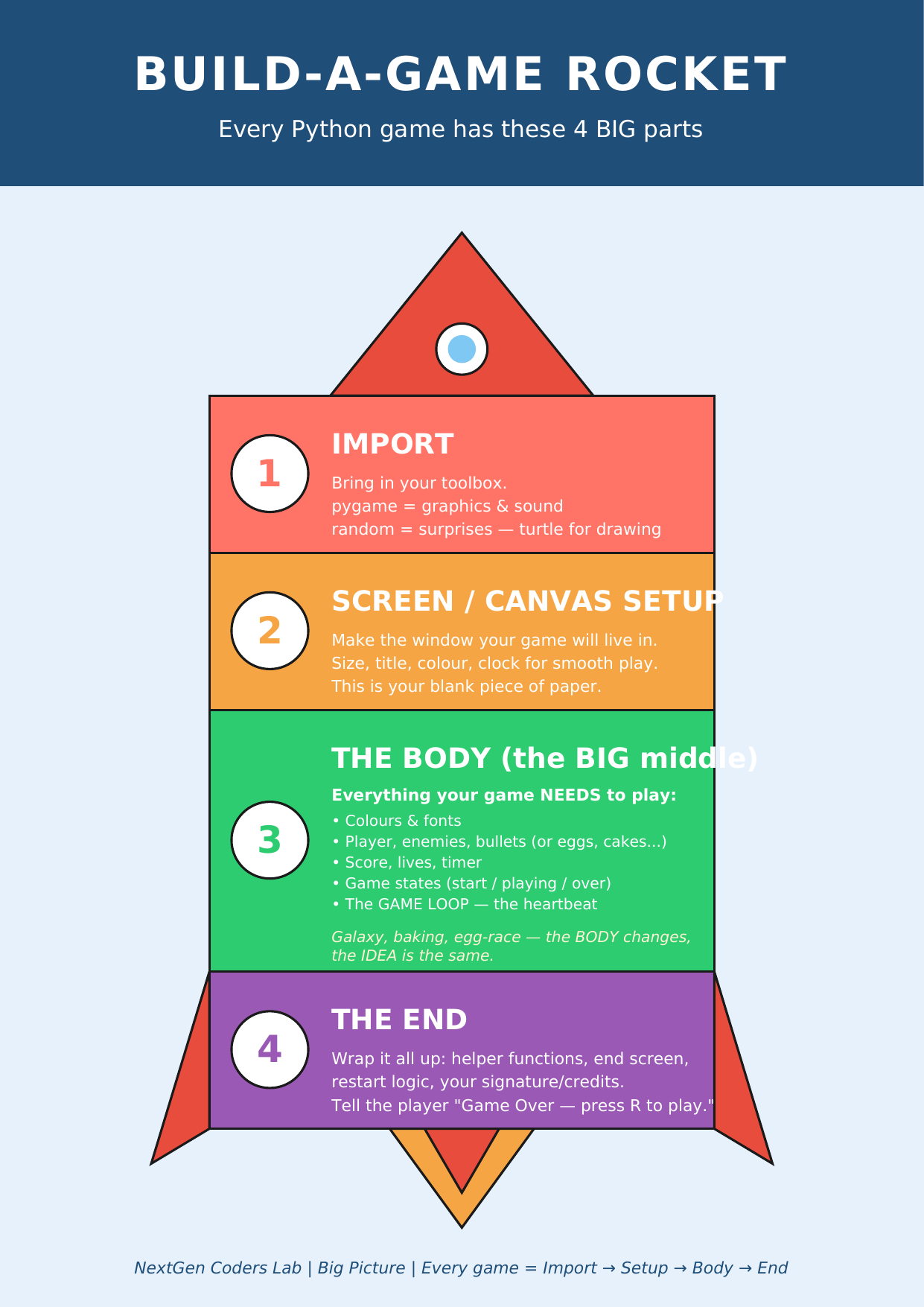
Print this and stick it on your wall. You'll come back to it a LOT.
The 10-planet mission
Inside "The Body" of the rocket are 10 little planets we'll visit one at a time. Each planet is one lesson.
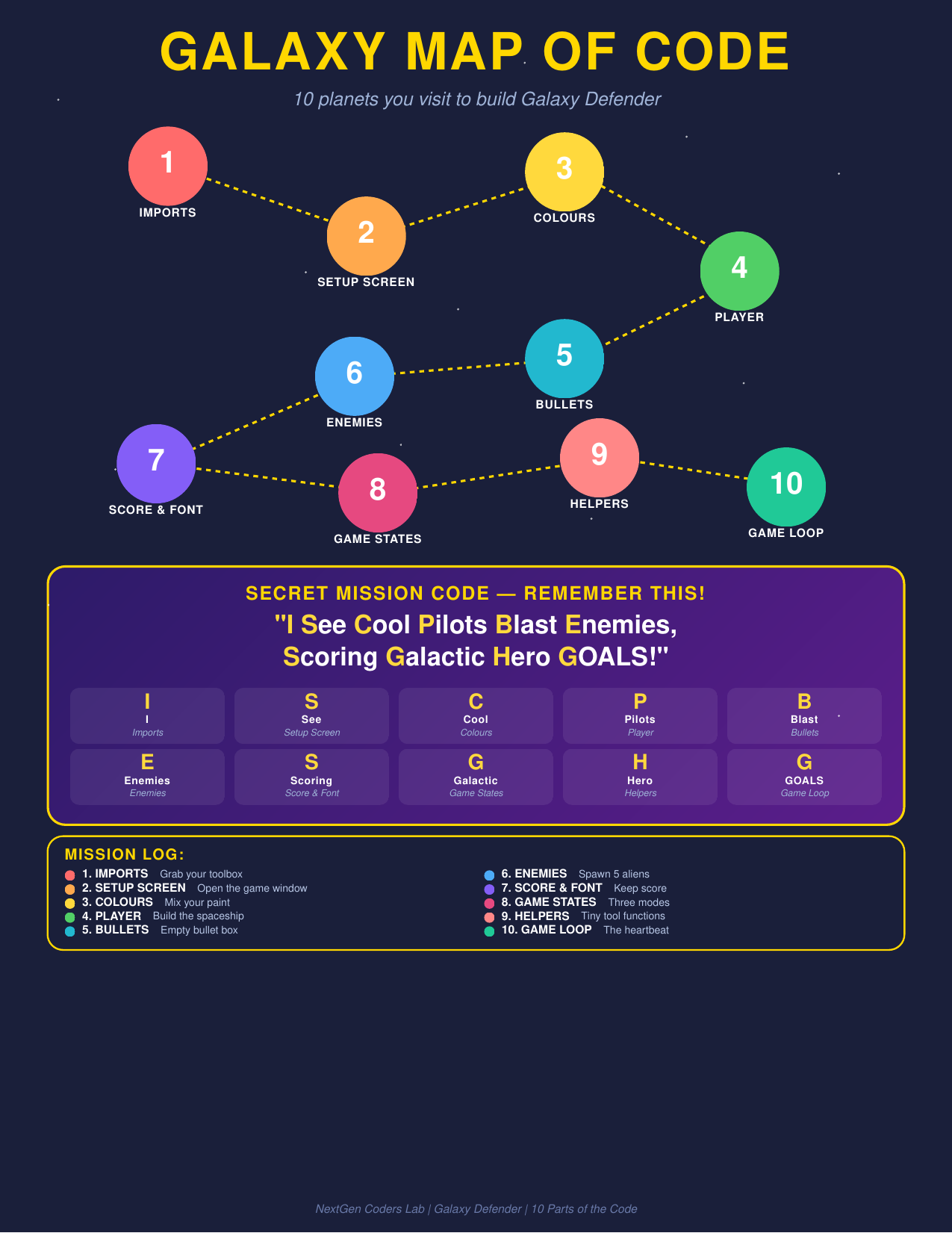
🔐 Secret mission code: "I See Cool Pilots Blast Enemies, Scoring Galactic Hero GOALS!" — the first letter of each word is the first letter of each lesson. Memorize it!
Pick a planet to visit
Lessons are best done in order, but jump around if you need to.
✅ All 10 lessons are live, plus the Capstone — design and ship YOUR own game.
Handouts for this lesson
Print these or keep them open — you'll come back to them all course long.
📄 Big Picture 📄 Galaxy Map 📄 Rocket Ladder 🖼️ 6 Parts of a Turtle Program
📖 Teaching this to a kid or running it in a classroom? Grab the Teacher & Homeschool Parent's Guide — pacing plans, stumbling-block fixes, FAQ, and the "what to say when they're stuck" cheat sheet.